
















Virtual birthday cake maker for Android

Make a cake. Make a wish.

Decorate a virtual birthday cake, light the candles, and blow them out. Then send the moment as a photo or animated GIF to someone special, wherever they are.

  • 133cake designs
  • 1–99number candles
  • 10languages
Choose a cake
Age

133 cakes.
One is just right.

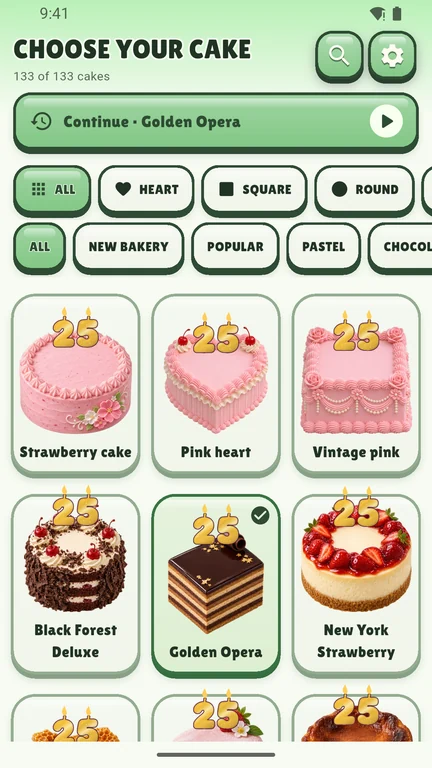
Heart cakes, bakery favorites, tiered towers, and pastel dreams. Filter the gallery by shape or style until one feels like them.

  • New York Strawberry
  • Black Forest Deluxe
  • Golden Opera
  • Strawberry Velvet Heart
  • Classic Tiramisu
  • Red Velvet Dream
  • Matcha Millecrepe
  • Berry Pavlova
  • Lemon Meringue
  • Rainbow Layers

How it works

From cake gallery
to candle blowout.

Wishcake cake gallery with filters and a grid of bakery cakes Wishcake editor with fruit decorations and tools over a birthday cake A burning match above gold number candles in Wishcake Lit number candles on a strawberry cake with the optional camera button Happy Birthday greeting and colorful confetti over a Wishcake celebration Wishcake share panel with Photo and Animated GIF options
  1. Wishcake cake gallery with filters and a grid of bakery cakes
    01

    Choose a cake

    Browse 133 designs, from heart cakes to bakery favorites and tiered cakes. Filter by shape or style, then tap the one that feels like them.

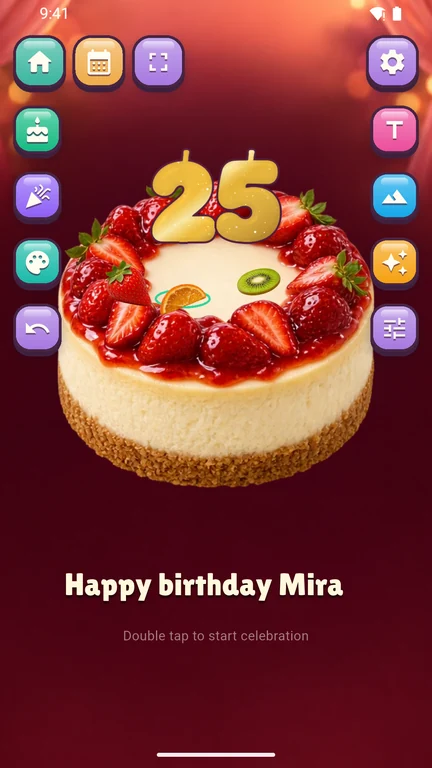
  2. Wishcake editor with fruit decorations and tools over a birthday cake
    02

    Make it personal

    Drag fruit, sweets, flowers, and toppers into place. Pick a party background and write a name or message in your choice of font and color.

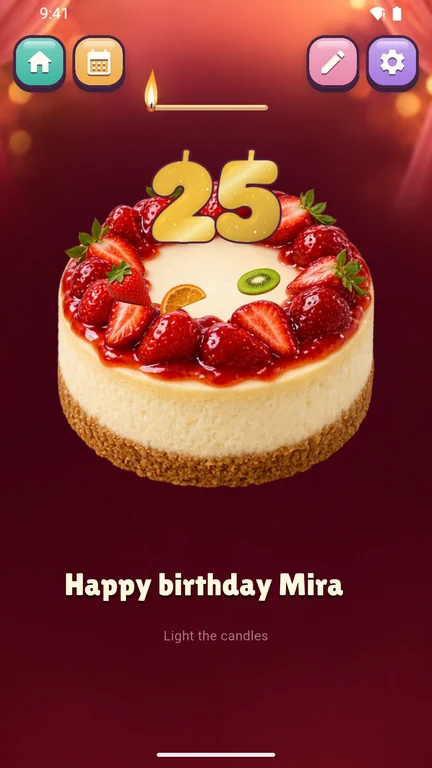
  3. A burning match above gold number candles in Wishcake
    03

    Light the candles

    Add number candles for any age from 1 to 99. Tap each wick, or drag the match across and watch them catch.

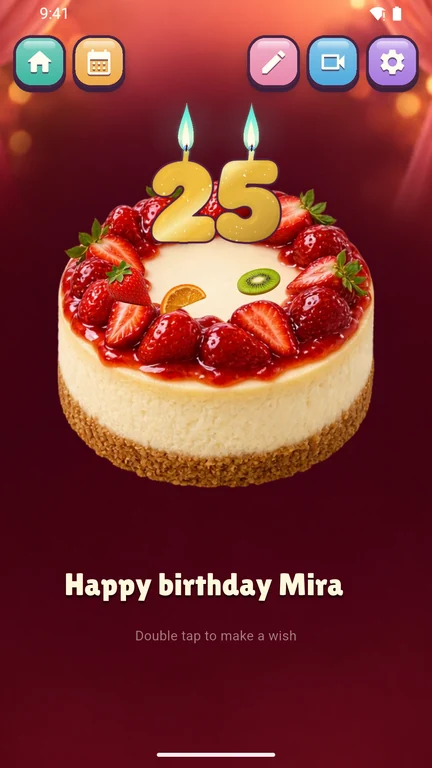
  4. Lit number candles on a strawberry cake with the optional camera button
    04

    Make a wish

    Double-tap to blow out the candles. On a supported phone, turn on the optional front camera and blow toward the screen.

  5. Happy Birthday greeting and colorful confetti over a Wishcake celebration
    05

    Celebrate

    Bring on the confetti, balloons, sparkles, or fireworks. Replay the moment as many times as you like.

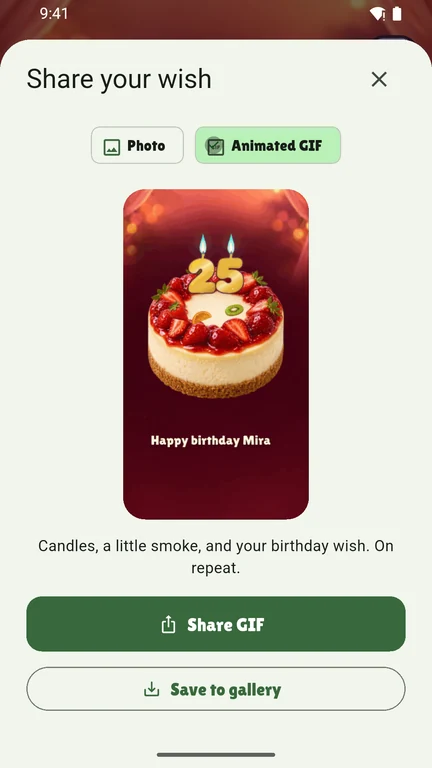
  6. Wishcake share panel with Photo and Animated GIF options
    06

    Save or share it

    Save the celebration to your gallery as a PNG photo or an animated GIF, or send it straight to someone special.

Features

Everything a wish needs.
Nothing it doesn’t.

Optional camera gesture

Blow out the candles. For real.

Turn on the front camera and blow toward your phone. Wishcake recognizes the gesture on your device. It never records or uploads the frames. Prefer not to? A double tap does the trick.

Processed on your phone

Number candles

Any age from 1 to 99

Gold-wax digits with a little glitter, just like the app.

Your message

Write it your way

Choose the font and color of the name or message.

10 languages

Says it in their language

  • English
  • বাংলা
  • Español
  • Français
  • Português
  • Indonesia
  • हिन्दी
  • العربية
  • 中文
  • Русский

Celebration effects

Four ways to say “hooray”

Mix up to three in one celebration.

Drafts

Pick up where you left off

Wishcake saves your cake as a draft on your device, so you can come back and finish decorating later. No account needed.

Your wish stays yours.

Read the privacy policy
  • No accountOpen the app and start decorating.
  • On-device cameraFrames are processed on your phone and discarded.
  • Local draftsYour cake and message stay on your device.

FAQ

Questions,
answered.

Still curious? Write to sholobit.dev@gmail.com and we’ll get back to you.

Do I have to use the camera?

Camera mode is optional. After lighting the candles, you can double-tap the screen to blow them out. If you enable camera mode, Wishcake processes the front-camera frames on your phone.

Can I come back to a cake later?

Yes. Wishcake saves your current cake as a draft on your device. You can continue from the gallery.

Where are my saved celebrations?

Pick Photo or Animated GIF and use Save to gallery. The file appears in your phone’s gallery in Pictures/Wishcake.

What do I need to run Wishcake?

Wishcake requires Android 7.0 or later and an internet connection. The optional blow gesture requires a supported front camera.

Does the microphone demo on this page record me?

No. If you choose “Blow into your mic,” your browser measures how loud the sound is, right on this page, to tell when you blow. Nothing is recorded, stored, or sent anywhere, and the microphone turns off after the candles go out.

About 22 million people celebrate a birthday today

Make someone’s
wish come true.

Wishcake is in closed testing on Google Play. If you’ve been invited, open the test with the Google account on your invitation.